
The Leaderboards Time View Options allow admins to control how leaderboard results are displayed based on specific time periods. By default, leaderboards show All Time rankings. Admins can configure additional views such as Daily, Weekly, or Monthly, giving learners clearer insights into their performance within a selected timeframe.
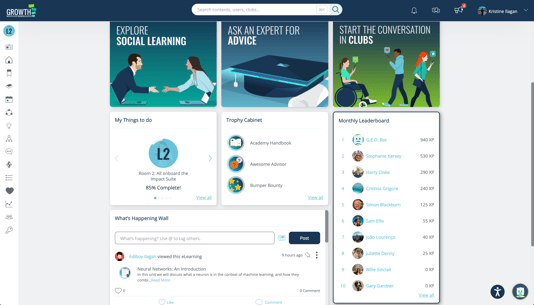
⚙️ Admin Setup
1. Go to Admin Dashboard > Settings > Dashboard Builder.
2. Create a new Dashboard or update an existing one.
3. In the Leaderboards widget, click the Settings icon.
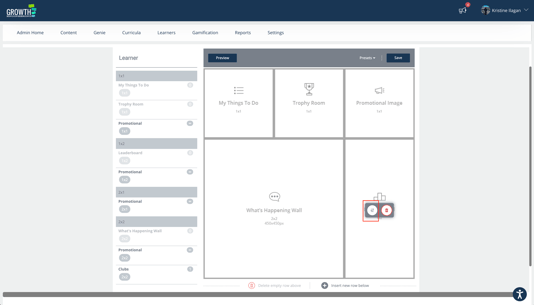
4. On the Time View Options dropdown, select the preferred time view.
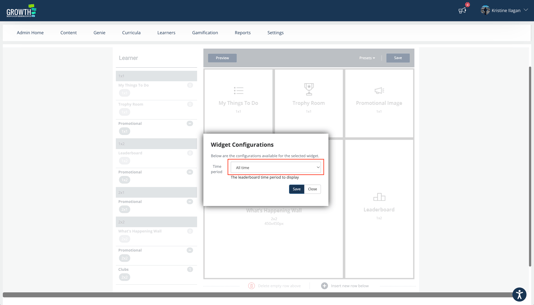
5. Click on Save button, then Save the dashboard.
🎯 Summary
Customizing leaderboard time views helps ensure rankings reflect the right performance period. Use these settings to maintain dynamic competition and keep learners motivated.