
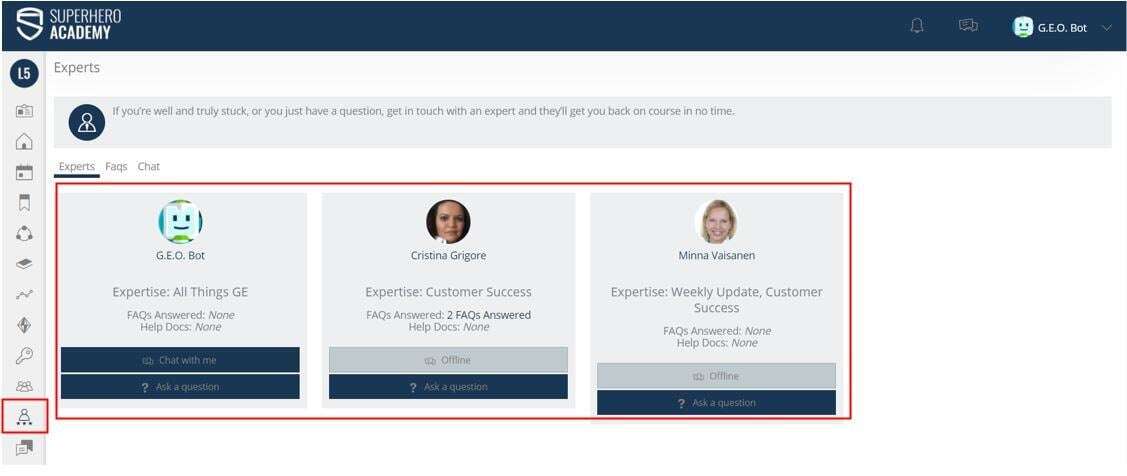
The Experts section of The Academy LMS is an area where Learners can communicate with experts within the organization. They can either send the expert a message, or if the expert is online, they can chat in real-time. This is a great tool to get learners who may be having a problem back on track in no time at all.
It is worth noting that any experts on the platform are visible to all users. We recommend having a generic account such as “The Guide” or “The Guru”. People find it easier to ask for learning support when they don’t know the person they are asking. This doesn’t mean you can’t have other experts as well, such as an HR expert. It is also worth pre-loading some questions as people find it easier to ask questions if they aren’t the only ones asking.
When an Expert answers a Learner’s question they have three options for response:
Respond to the Learner privately: This will send an email to the learner with the Expert’s answer.
Respond and add Q&A to the FAQs section. This response to the learner privately and adds the response straight to the FAQs section.
Delete without reply: This removes the question from the Experts My Things To Do. This would be used in an instance where the question was no longer relevant.
Here is a quick video explaining how to chat with experts - https://www.academysuperheroes.com/elearning/28
Admin Tip
: Why not have guest Experts who can feature on the platform for a fixed period i.e. one month. This way you can promote the addition of a new Expert for that month and prompt people to ask questions.