Levels on App lets learners see their progress and achievements directly within the mobile app. This feature mirrors the levels and gamification elements already configured in the LMS, providing a clear visual indicator of advancement, motivating learners, and encouraging continued engagement.
Levels on App brings several key benefits:
- Learners can view their current level directly within the app
- Progress percentages are displayed to clearly show how far learners have progressed
- Required and optional training for each level is clearly visible
- A consistent Levels experience aligned with the LMS
- An engaging way for learners to track progression and stay motivated on the go
Admins don’t need to make any extra configuration—any levels already set up in the LMS will automatically appear in the app.
📱How It Looks on the App
🎯 Wrapping Up
Levels on App gives learners a clear view of their progress and achievements, helping to motivate continued learning. Keep encouraging learners to check their Levels regularly to stay engaged and on track.
If you’re ready to use Levels on the app and have them set up in your LMS, please reach out to your Customer Success Manager to enable this feature.
💡Pro Tip: Designing Your Levels Banner
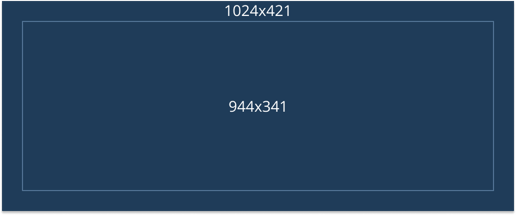
For the best visual results on the app and LMS, we recommend using a banner size of 1024 × 421 px.
To ensure important text, logos, and visuals aren’t cut off on different devices, keep key elements within the safe area: 944 × 341 px (centered).