
Linking Club Banners to Posts allows admins to connect a Club banner directly to a specific post. When learners tap the banner in the app, they are taken straight to the linked post—making it easier to highlight important announcements, updates, or featured content without additional navigation.
⚙️Setting up Banner-to-Post Linking
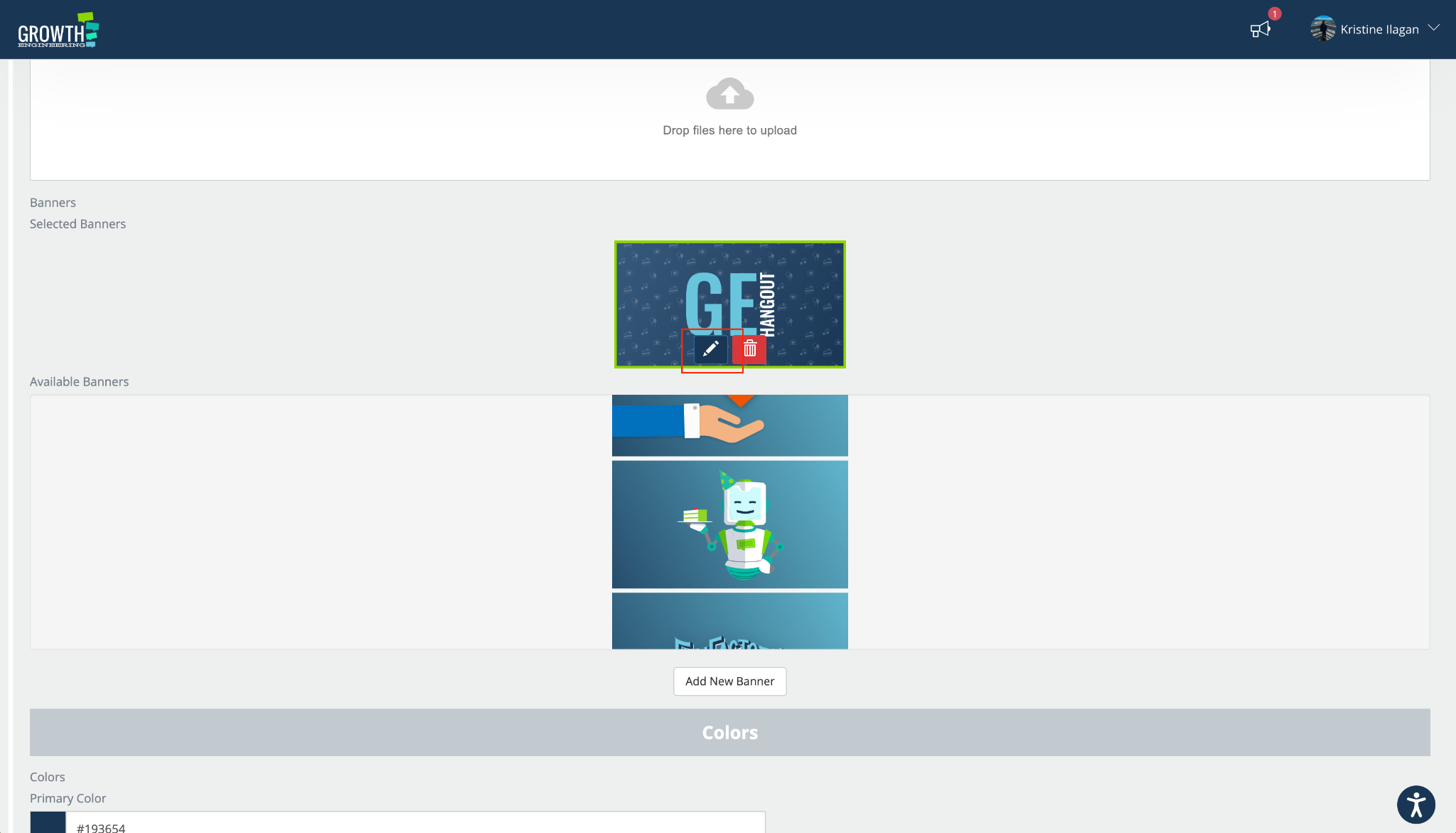
1. In the Admin Dashboard, go to Clubs, then click Edit on the Club you wish to update.2. On the Banner section, click the Edit icon.
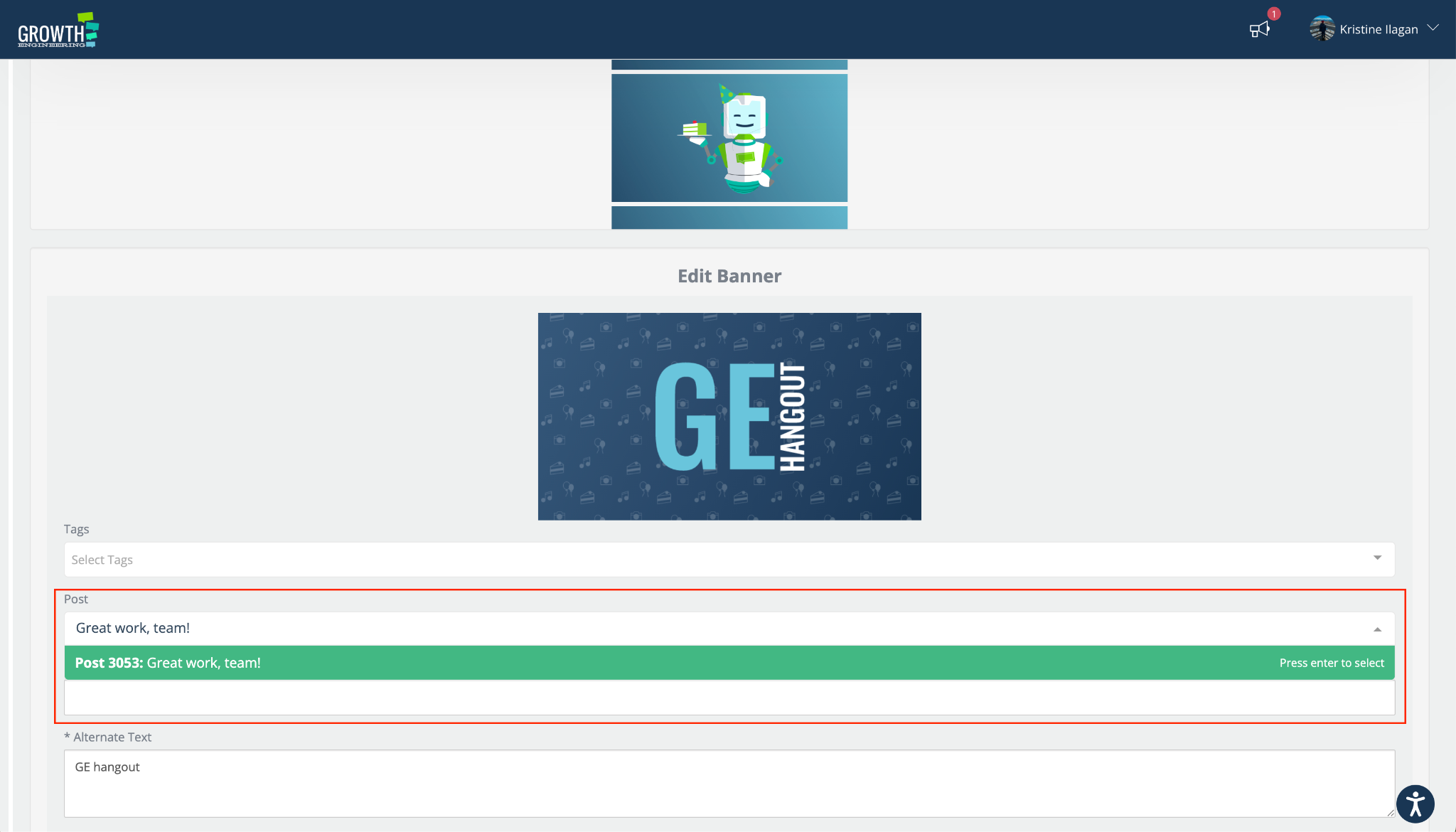
3. On the Edit Banner section, Post dropdown field, type in the post you wish to link to the banner.
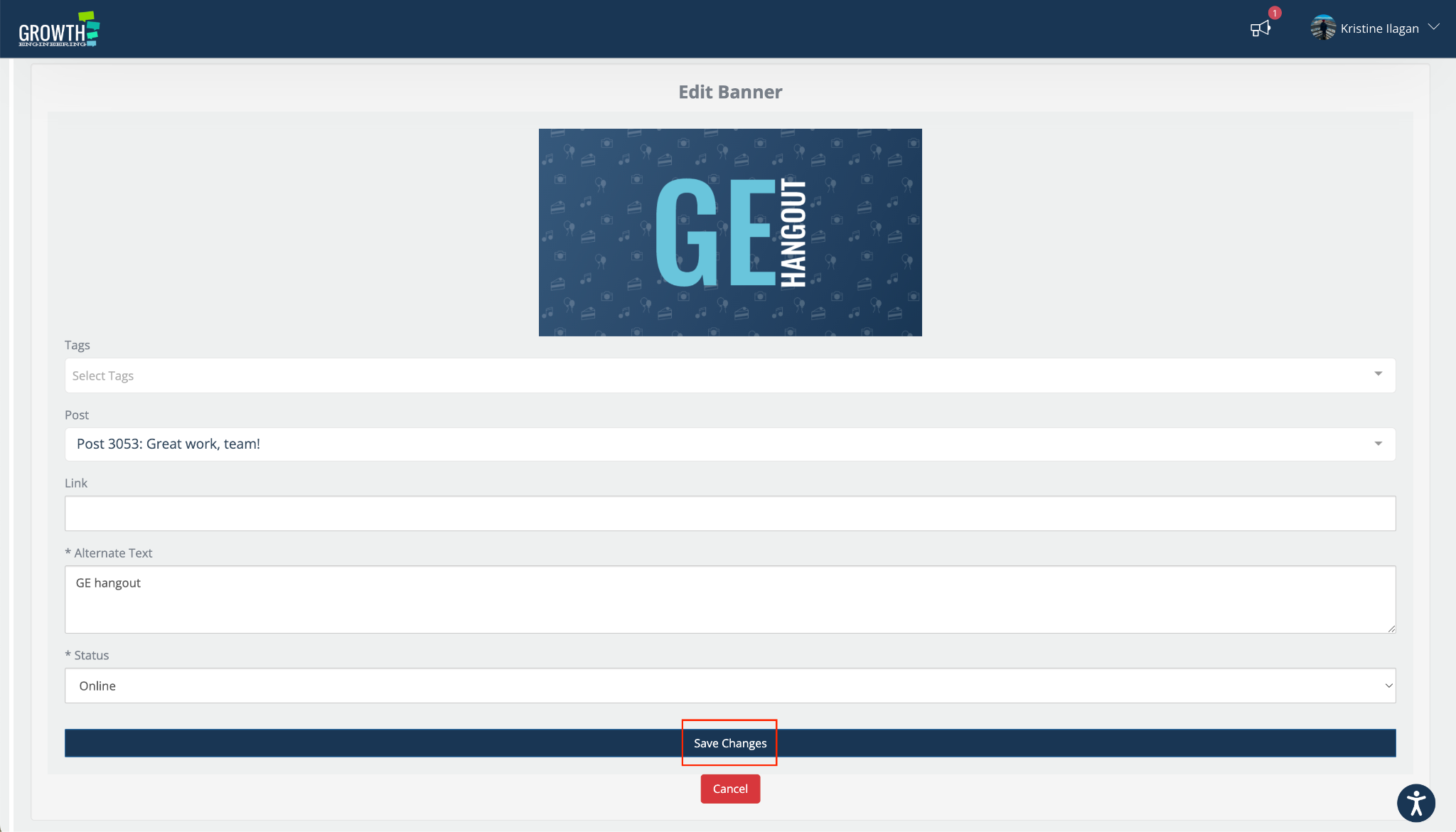
4. Once a post is selected, click on the Save Changes button.
📱How It Looks on App
When learners tap the banner on the app, they’ll be taken straight to the associated post.
✅ You’re All Set
Your Club banner is now linked to a post. You can update or change the linked post at any time by editing the Club banner, allowing you to keep communications timely and relevant.