
Gamification is the use of gaming mechanics in a non-gaming environment and is becoming quite a common term in marketing, eLearning, applications and even in the workplace. Gamification involves taking the things that make games fun and enjoyable and using them in situations that wouldn’t usually be all that fun or enjoyable. We use gamification through a number of features, such as:
Trophy Cabinet
Here Learners can take a peek and admire the Trophies and Badges from all of their hard work. Collectively, we call all items in your Trophy Cabinet ‘Trophies’ and they are awarded to a learner for a variety of activities and actions. There are four different types of trophy that a learner can earn:
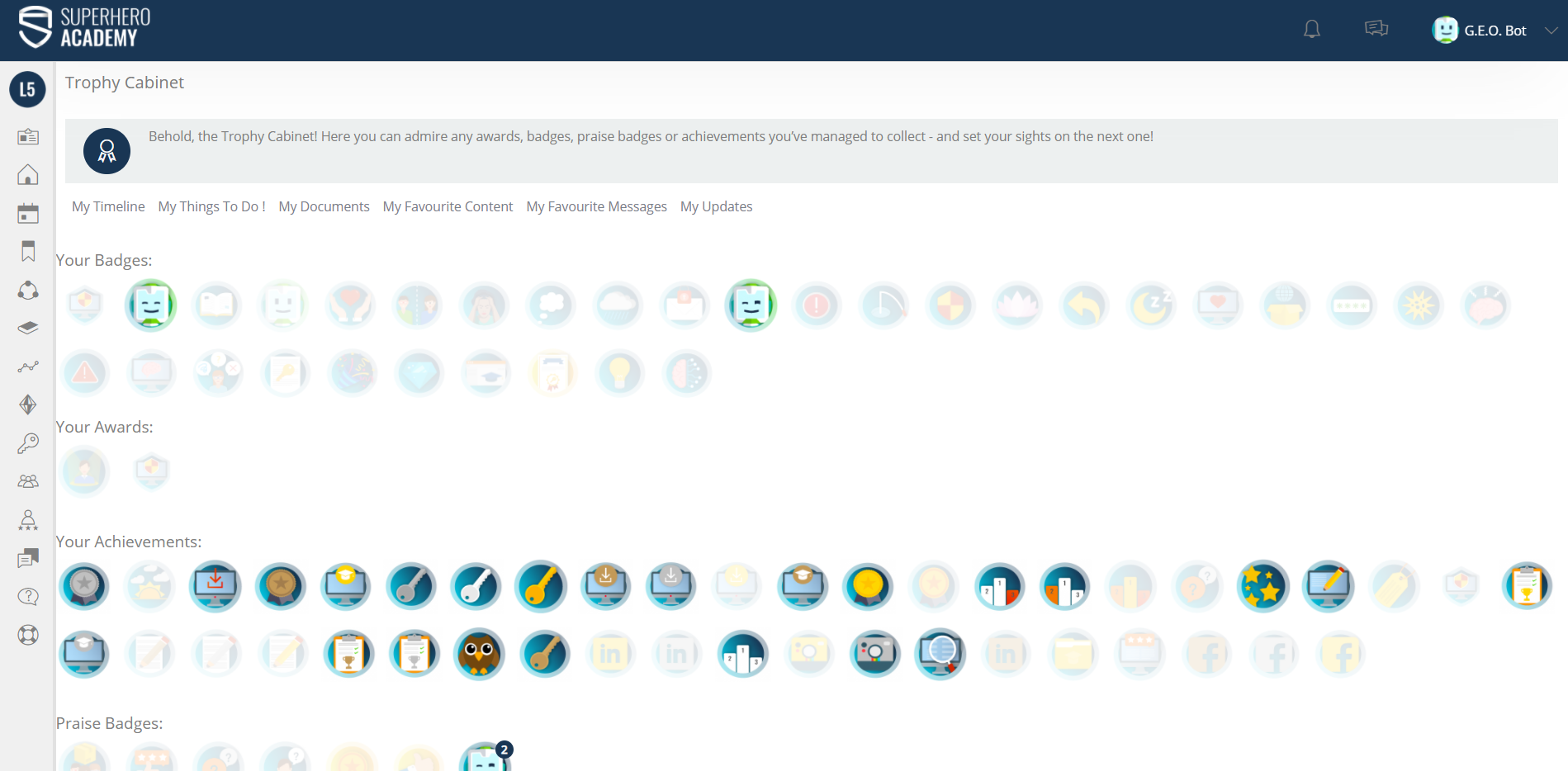
Awards
Allocated to a Curriculum and awarded upon completion of all content within the Curriculum.
A PDF certificate can also be designed by an Admin and attached to the Curriculum. The Learner can download it by clicking on the Award image in their Trophy Cabinet.
This video guides you through the process of creating an award - https://www.academysuperheroes.com/elearning/56
Badges
Badges are allocated to an individual item of content and gained by the learner on completion of that content i.e. passing a test. . It is worth assigning Badges to a variety of content but primarily for learning pieces or important information, this encourages targeted learning.
This video guides you through the process of creating a badge - https://www.academysuperheroes.com/elearning/54
Achievements
These are triggered by actions on the platform, things like changing a Profile Picture, viewing the Leaderboard or logging in. There are 30 coded triggers for admins to choose from:
Adding a profile picture,
Asking an expert a question,
Commenting on eLearning,
Completing a curriculum,
Completing a review,
Completing a survey,
Completing a test,
Completing an assessment,
eLearning course satisfied,
Logging on after 11pm but before 3am
Logging on after 5am but before 7am
Logging onto the academy,
Downloading Material,
Passing elearning,
Posting in a club,
Posting on the what’s happening wall,
Profile - adding Showcase,
Profile - completing About,
Profile - completing Experience,
Profile - completing Questions,
Rating eLearning,
Searching the academy,
Sharing resource in insight group,
Sharing toFacebook,
Sharing to Twitter,
Sharing to Linkedin,
Tagging a Learner in a Post,
Viewing their Badge Cabinet,
Viewing the Leaderboard,
Viewing the Reward Centre,
Each trigger can be used multiple times and a different count used. For example Logging in for the 1st time, the 10th, 50th or 100th time. Each rigger count unlocks a new Achievement. This means from the 30 coded triggers you can have hundreds of achievements.
This video guides you through the process of creating an achievement - https://www.academysuperheroes.com/elearning/55
Manager Praise
The only manually awarded Badge, Managers have the ability to grant this Badge to Learners in their Team based on your guidance. This could be for activity within, or outside of The Academy LMS.
They could be linked to the company values. Different managers can be given access to different selections of Manager Praise Badges to give to their team. A Learner can earn the same Badge multiple times. In the Trophy Cabinet, a number will appear to represent how many times they’ve earned it. It is worth devising a detailed document explaining when a Manager Badge should be awarded. This ensures they are out fairly and equally. Manager Badges are set to be visible-platform wide so design them with this in mind.
This video guides you through the process of creating a Manager Praise Badge - https://www.academysuperheroes.com/elearning/57
If you would like some more information of Awards and Badges, then watch this video - https://www.academysuperheroes.com/elearning/51
XP (Experience Points)
In addition to earning Trophies and Badges for their hard work, Learners can earn Experience Points (or XP). XP can be attached to learning content and given to the learner upon completion. They can also be attached to Achievements and Manager Praise Badges. This means the Learner will accumulate XP through a variety of actions and their total XP will reflect their engagement with the platform.
Admin Tip
: Set up a specific scale/weightings for pieces of content to keep XP across the platform consistent.
Leaderboard
The Leaderboard lets the Learner know who is ahead in the rankings and what score they must earn to crush their competitors.
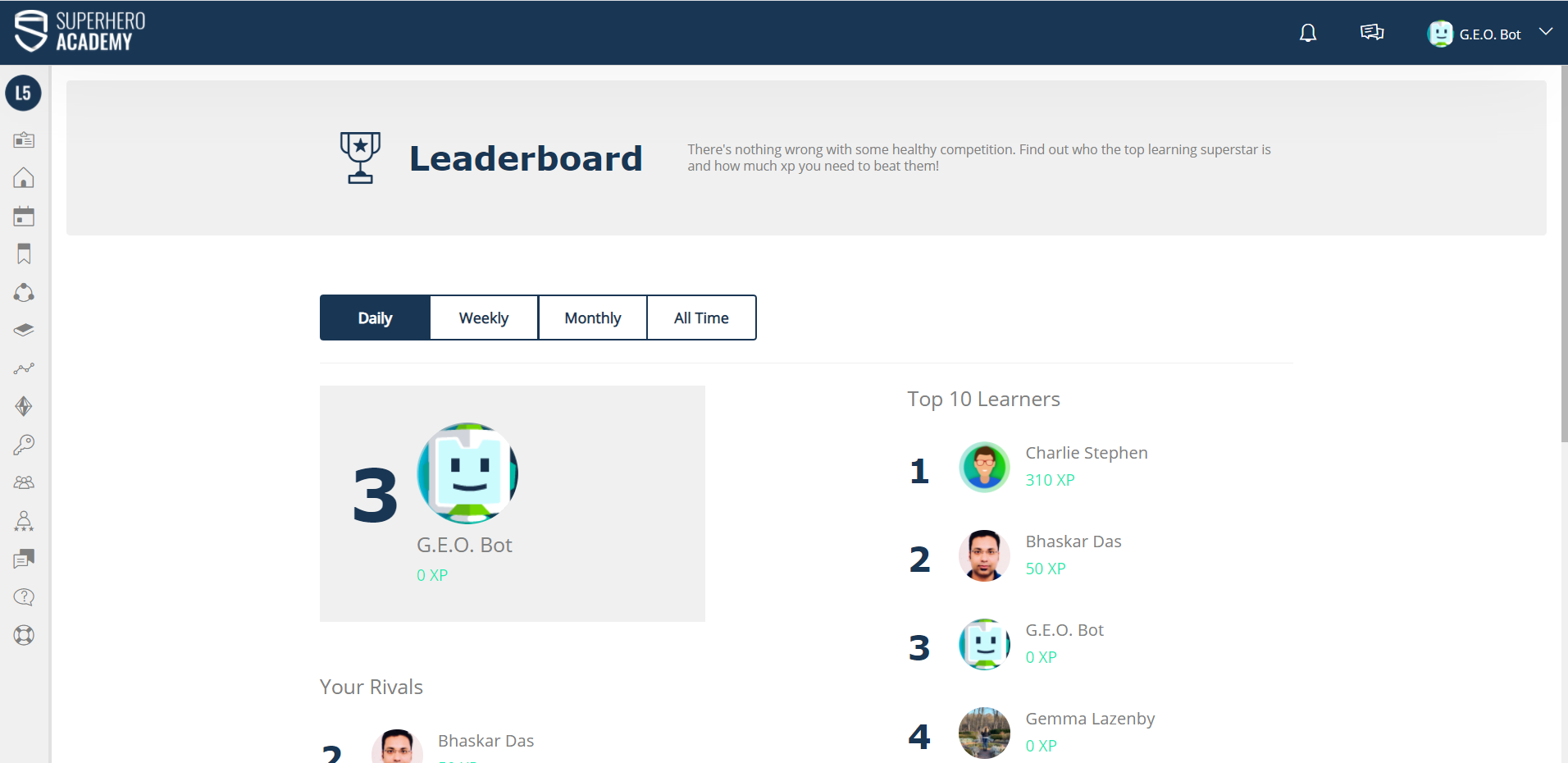
When configuring your platform you can choose to rank your learners based on total XP. This is a universal setting that will apply to all Learners.
On the Leaderboard page, you will see the ‘Top 10’ Learners, plus a personal Leaderboard that shows the Learner just ahead of you and the Learner hot on your heels!
There is also a section that will display the latest three learners that have been added to the platform in the last 60 days.
The Leaderboard can be calculated on four different date range settings; all-time, monthly, weekly and daily.
Who a Learner is able to view on the Leaderboard is a separate setting to who they can see on the What’s Happening Wall. Depending on your platform’s visibility settings, Learners will be able to see how they compare to everyone in the company or just the people on their team!
It’s worth noting the fact that anyone you can see on the Leaderboard you can see their profile and all attached info.
Reward Centre
The Reward Centre allows your Learners to cash in those hard-earned Trophies and XP to claim real-world rewards! In the Reward Centre, Trophies get converted to Gems and XP get converted to Coins. We do this so that learners don’t think they will lose trophies or XP and drop down the leaderboard.
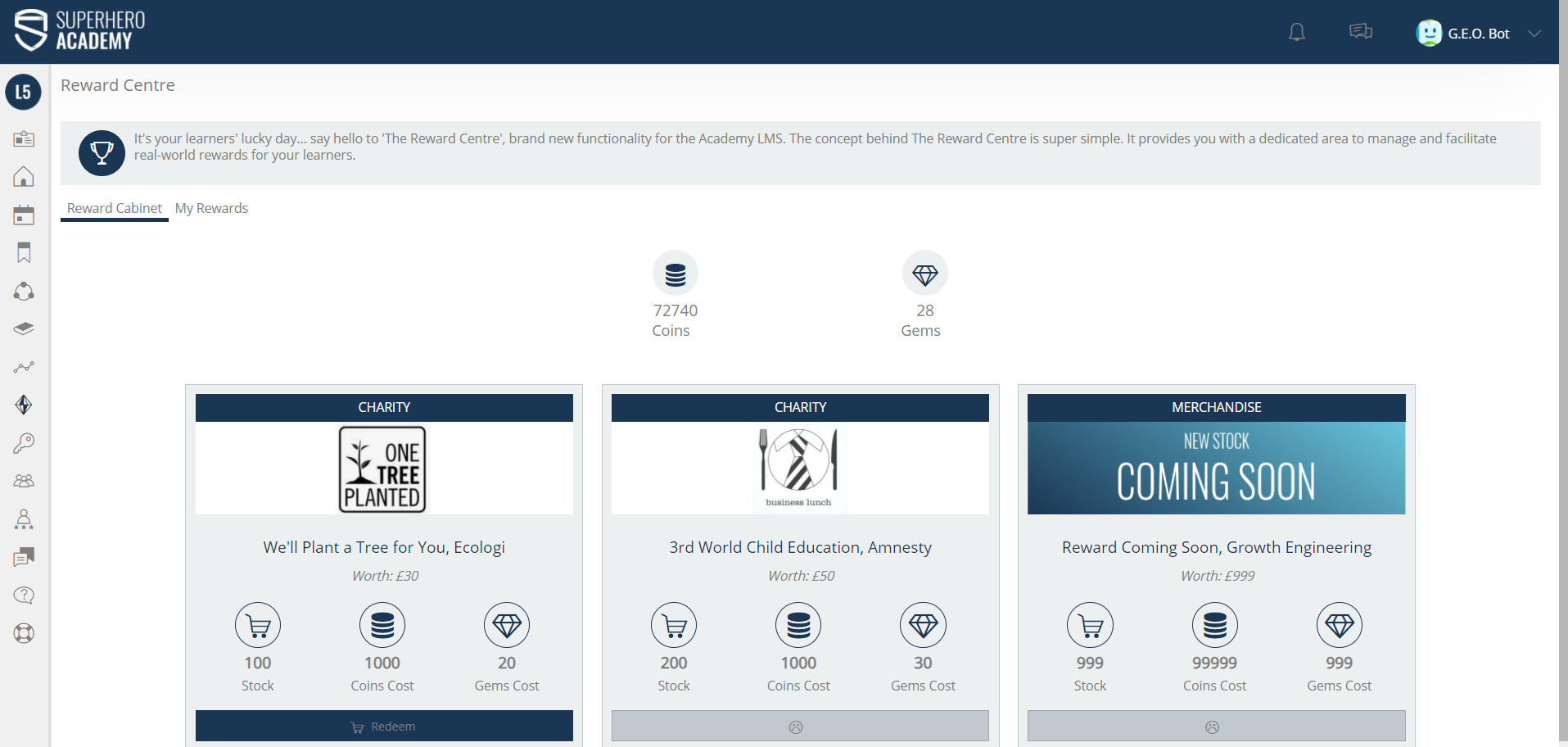
As an admin team, you set who sees each reward, the cost and the stock. This way you are in full control. What rewards you offer is up to you! You can do personal rewards such as Amazon vouchers. You can do Team rewards such as team lunch vouchers or boxes of doughnuts. Or, you could link the Reward Centre to your corporate responsibility or charities you support.
When a learner completes their annual compliance training, they can purchase educational books for the less fortunate! Powerful stuff!
This video shows you how you can create a Reward in the Rewards Centre - https://www.academysuperheroes.com/elearning/87
This is what your created reward will look on the front end, and how it is redeemed - https://www.academysuperheroes.com/elearning/86