
Now that you are familiar with content groups, let us introduce the concept of Supergroups.
A supergroup is simply a collection of multiple groups, which allows you to assign content faster to a number of groups. These could be for example collection of departments or geographical regions, where you then are assigning a piece of content.
You can create a number of supergroups, although again, best to keep it simple to start with!
Step 1:
Access the Supergroups through the admin panel: Curricula - Group Manager
Click on ‘Supergroups’ and click to add new.
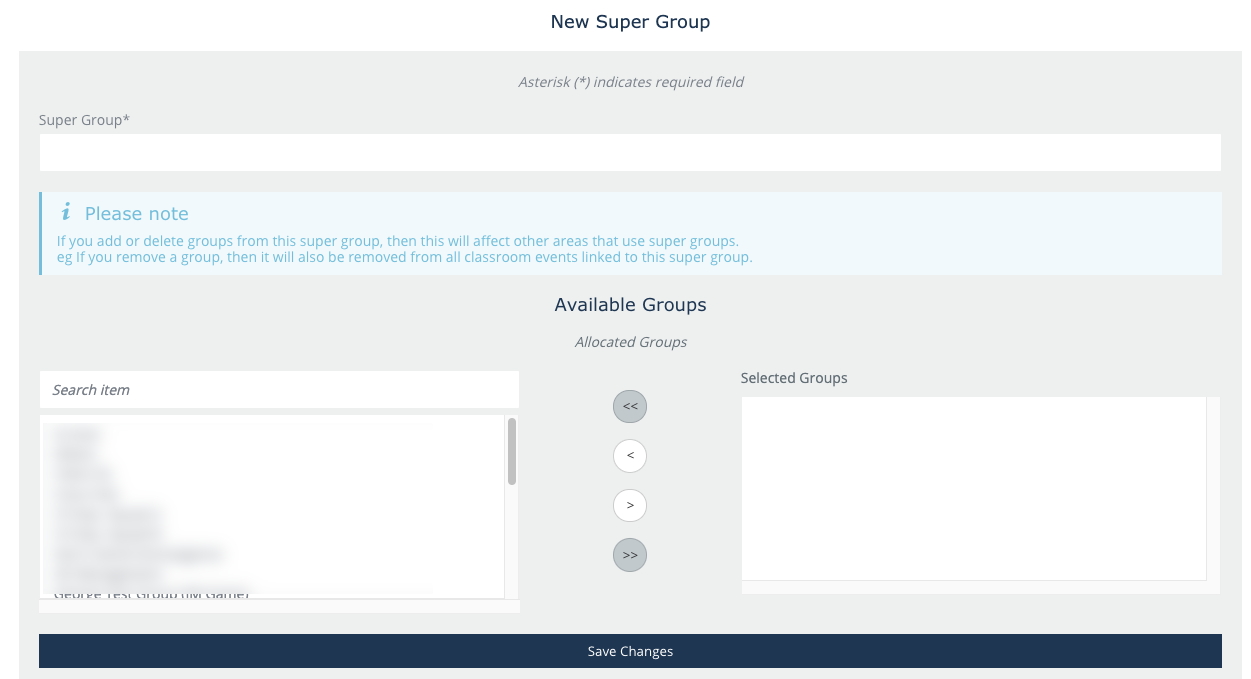
Step 2:
Assign the Supergroup a name:
On the left, you can see all the existing groups which you could assign to Supergroup. Once you have picked your groups to assign, click to Save changes and your supergroup is ready.
As Summary:
A Super Group will be made up of multiple Content Groups.
A Super Group is then used to easily distribute content to many Content Groups without selecting these individually