
Who a Manager is able to view on The Academy LMS is controlled by the ‘Team Access’ settings. This flexibility can give each Manager account visibility of lots of teams or just their own team. Managers still have to sit within the four-tier hierarchy, however, the increased visibility allows them to view other teams and report upon, send content, and award Praise Badges, to anyone they have visibility over. Managers get access to two additional tabs on the sidebar. These are:
Manage Learners
Manage learners is the central hub to manage all the users on the platform. Here managers and admins can browse the list and edit details and permissions. They can also send invitations, award praise or access individual reports.
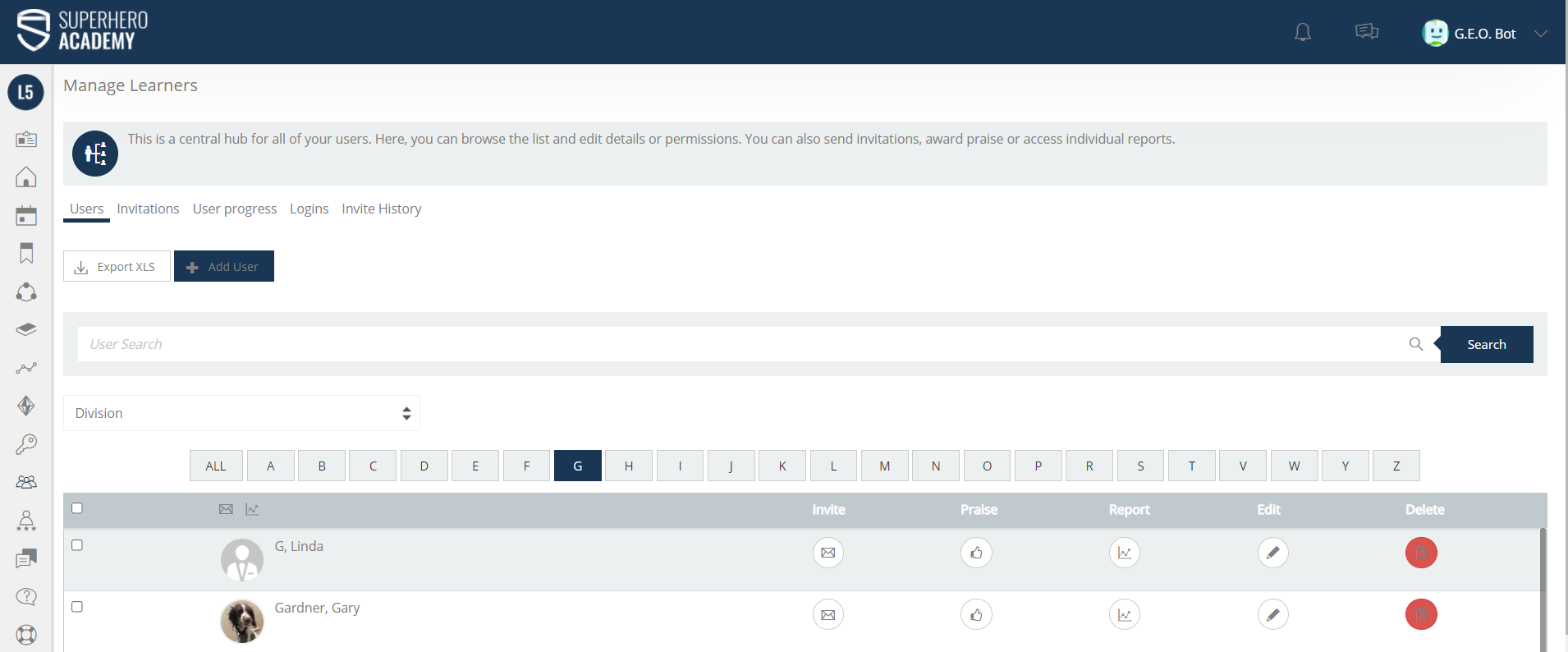
If you would like to watch a tutorial on how to manage learners, then go to - https://www.academysuperheroes.com/elearning/62
View Reports
View reports is an area Managers and Admins can run reports on Learners. They can also set up Automated Reports that can be sent to themselves and their colleagues.
Learn how to do this at - https://www.academysuperheroes.com/elearning/26