
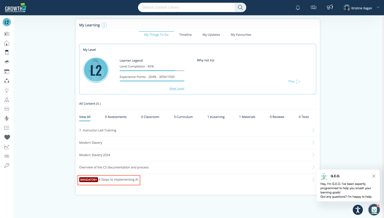
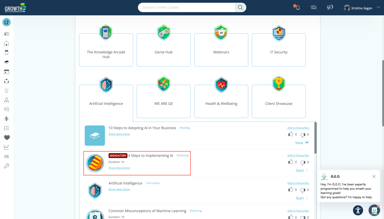
The eLearning Mandatory Flag allows admins to designate key courses as required. When a module is set as mandatory, learners will see a Mandatory label on that eLearning in both their My Things To Do and Learning Library folders, making it easy to identify and complete required content.
🪄 Configure the eLearning Mandatory Flag
1. Go to Admin Dashboard > Content > eLearning.
2. Choose a Section.
3. On the eLearning Form, whether you're creating a new eLearning or updating an existing one, check the Is Mandatory check box.
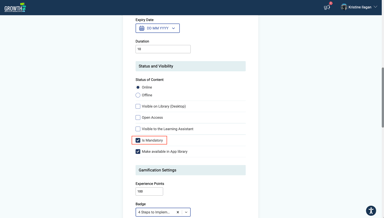
4. Click the "Save Changes" button.
👀 What Learners See on Their End
My Things To Do:
Content Library:
📈 Tracking Mandatory eLearning in Reports
1. Access the Reports in the Admin Dashboard.
Click "Data Visualisation".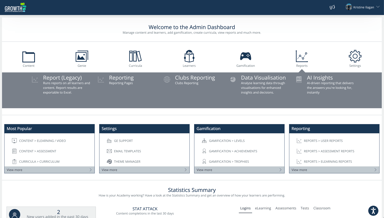
2. Click the "eLearning" tab and scroll down to eLearning and Genie Learner Progress visual.
3. You will see a column indicating if an eLearning is mandatory.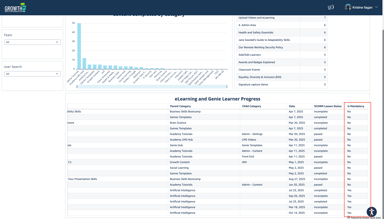
📘 Summary
Marking eLearning content as mandatory ensures key learning materials are prioritized and completed. Learners see exactly what’s required, and admins gain better control and tracking over essential training.