
Content is how your learners learn. Therefore, we believe that making this easy to access is key to ensure maximum engagement and a smooth user experience. Below we will go into detail regarding the three main ways Learners can access content and how it all works.
1. My Things To Do
The ‘My Things To Do’ section will typically be the first place your Learners see on their home dashboard page. It will house all the content they have been invited to complete. It will also house any content that the learner has started, but not yet finished, for example, a curriculum or a future classroom event. Content will remain in the learner’s ‘My Things To Do’ section until they complete it.
Content will appear in My Things To Do in a particular order. This is:
-
Level
-
Curriculum
-
Assessment
-
Test
-
Material
-
eLearning
-
Review
-
Classroom
-
Admin Tip : If you need to edit a Learner’s ‘My Things To Do’ you can delete the invite from the Admins’ send invites menu.
2. Library - Pull Content
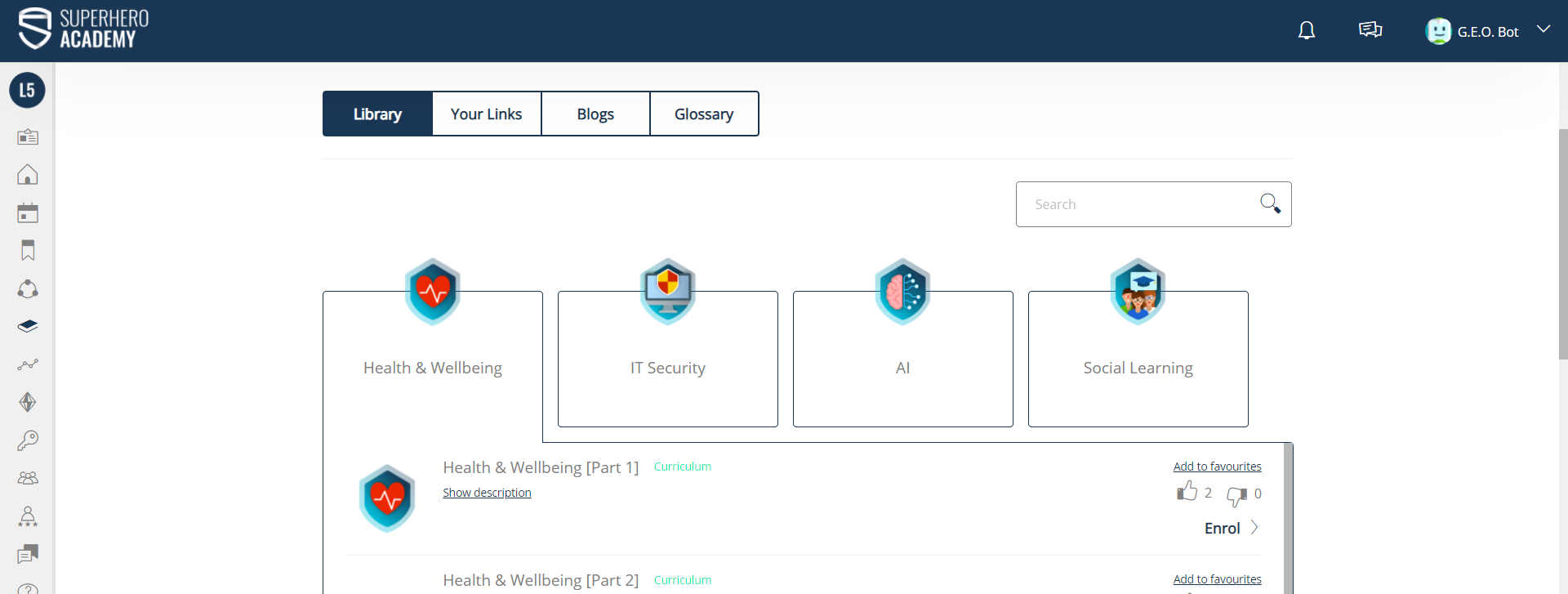
In the Library, Learners will find all of the resources they need to kick-start their professional development. They can browse through the available content or use the search box to find a specific learning item. Content can be organised by sorting it into Categories. Each Category has an icon, when clicked, it will expand into subcategories as shown below. Images can represent the subject of each Category. It’s important to map out your library so that it is easy for Learners to navigate. The images used should all be colour coordinated to make the page visually intuitive.
-
Admin Tip : A Library Category will only appear in the Library once content has been assigned to it.
3. Levels - Push Content
A learner can see view their current level in two ways, is below their Profile Picture and also in their My Things To Do. The Learner’s level depends on how much learning content and experience points they have achieved. The swoosh around their profile picture is a visual reminder of their progress through their current learning pathway.
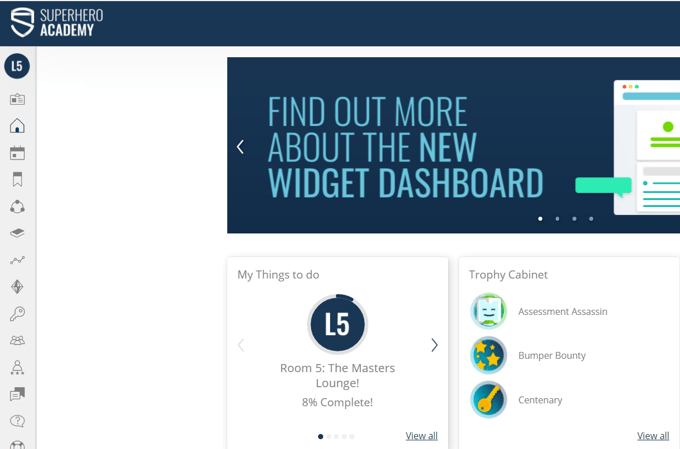
The level journey is built by the admin team and learners are placed onto a specific level Pathway. To level up they must complete the required content and earn the required amount of XP.
Admin Tip: Your level journey should be linked to the epic meaning you have chosen for your platform, so think about level names and images that will inspire your learners.