
Your LMS hosts a wealth of information and can be the backbone of your company’s know-how. That said, you might want to control pieces of content visibility between different groups of learners.
This is where the Group Manager plays a role within the LMS. Through the group manager, you can create groups, and use these groups throughout the LMS to control visibility to the content as well as to various other functionalities such as clubs and experts.
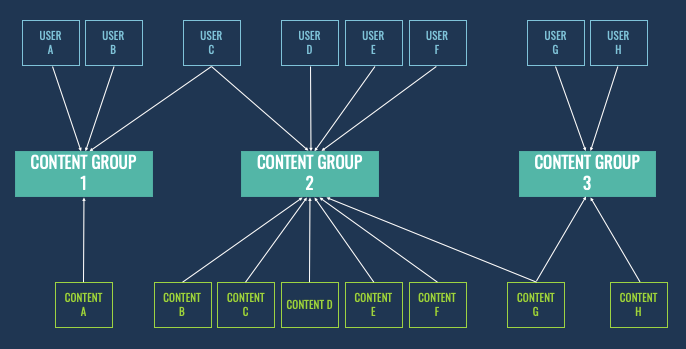
Learners can belong to multiple groups, so it is recommended best to start first drawing this out before implementing it in the LMS. For example, the below is an example of how learners can below to various content groups:
In the following articles in this section “ Content groups and Supergroups,” you will learn more on how to set up and manage Groups and assign the content to them.
As this is the way to create the learner's bespoke library and control the learner’s access to other functionality, it is best to keep it as simple as possible to start with and then add more layers if needed!