Welcome to understanding the outcomes from the learning in our reporting suite.
In the reporting suite, you can run reports on the following:
User report - these reports compromise all activities the learners have performed on the platform
Log-ins - the frequency that learners are logging into the platform
Reporting by content types - in these reports, you can choose if you want to review certain content titles or all content
Reporting on gamified elements - in these reports you can report on badges, XP, levels, and battles (currently App only)
Reporting on social interactions in clubs - in this report, you can review the activity by learners in clubs
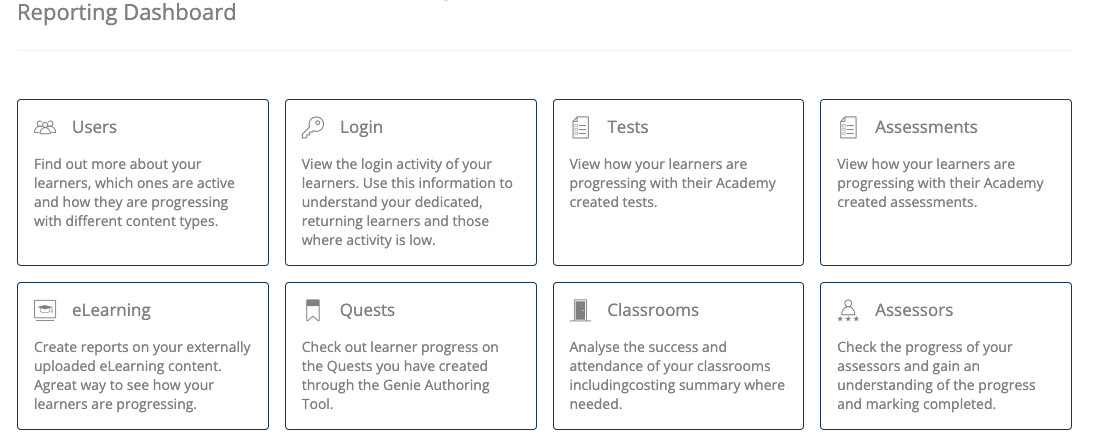
From the reporting dashboard, you can click on any report type that will land you on the page of completed reports. The reporting suite is structured in a similar manner for all the reports.
On here you can see reports that were run recently or click on to create a new report.
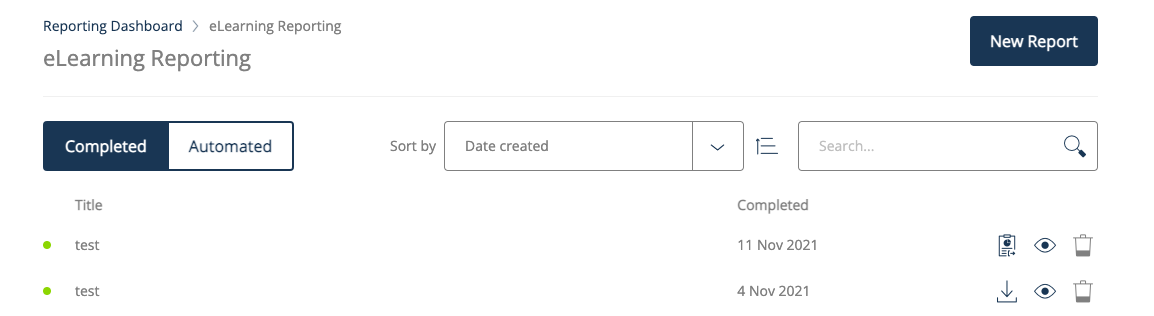
For the completed reports you can download these, preview them or delete them. The downloadable reports are shown with the download icon. If this is not shown (as on the example test report on the first row), you can simply click on the report icon to generate the download.
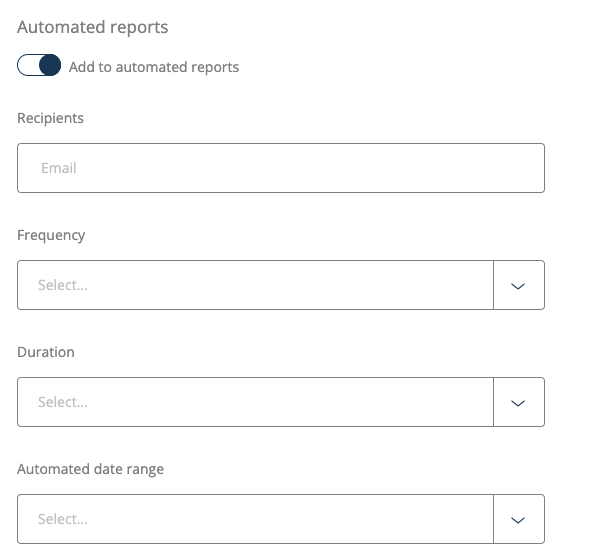
When creating new reports, you can also schedule these to be automated by clicking on the toggle to “Add to automated reports”. Once this is clicked, you just need to choose emails, frequency, and duration.