
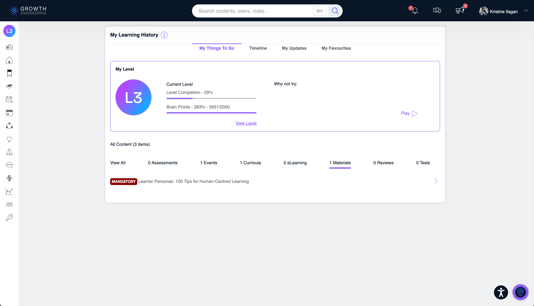
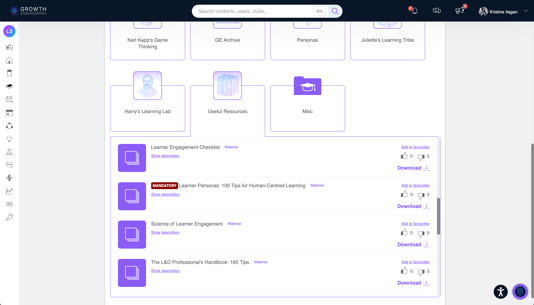
The Material Mandatory Flag allows admins to designate key materials as required. When a material is set as mandatory, learners will see a Mandatory label on that material in both their My Things To Do and Learning Library folders, making it easy to identify and complete required learning.
🪄 Configure the Material Mandatory Flag
1. Go to Admin Dashboard > Content > Material.
2. Select the Section where the material is located.
3. On the Material Form, whether you're creating a new material or updating an existing one, check the Is Mandatory check box.
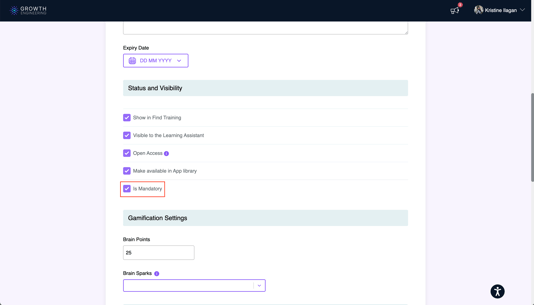
4. Click the "Save Changes" button.
👀 What Learners See on Their End
My Things To Do:
Content Library:
📈 Tracking Mandatory Curricula in Reports
Coming soon...
🎯 Mandatory Material Set
Your material is now marked as Mandatory, making it easier for learners to identify required learning in My Things To Do and the Learning Library.